📦 InPost Parcel Locker

InPost Locker
Bourne — PE10 0ET

South Road 24/7 InPost Locker - LIDL South Road

Left hand side of the main building in the corner of the car park
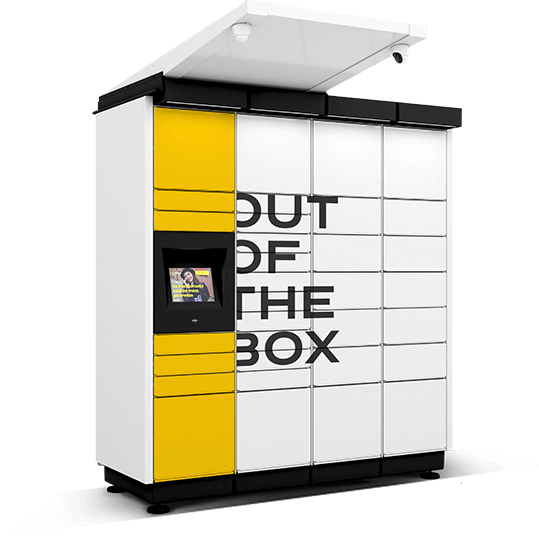
Open 24/7
🆔 Locker ID: UK00008063
📮 Postcode: PE10 0ET
InPost locker at South Road 24/7 InPost Locker - LIDL South Road, Bourne

📍 Location Details

Locker ID UK00008063
Street Address South Road 24/7 InPost Locker - LIDL South Road
City Bourne
Postcode PE10 0ET
Country United Kingdom

⏰ Opening Hours

Hours 24/7
Operator InPost UK
Type Automated Parcel Locker
Staff Required None — fully automated

📡 Coordinates

Latitude 52.75488
Longitude -0.36806
What3Words Use Get Directions above
Google Maps Open map ↗
Locker ID: UK00008063
📥
Collect Parcels
Via app QR code
📤
Send Parcels
Drop off anytime
↩️
Returns
Easy no-label returns
📲
App Required
iOS & Android

How to Collect a Parcel from This Locker

1
Head to the locker
Go to South Road 24/7 InPost Locker - LIDL South Road, Bourne, PE10 0ET. Left hand side of the main building in the corner of the car park
2
Open the InPost app
Tap your delivery notification or go to My Parcels in the InPost app. Find your parcel and tap Open Locker.
3
Scan your QR code
Hold your QR code up to the locker scanner or tap Use PIN instead. The locker will identify your compartment.
4
Collect your parcel
The compartment opens automatically. Remove your parcel and close the door — it locks itself. Done!

About This InPost Locker — Bourne

This InPost parcel locker (ID: UK00008063) is located at South Road 24/7 InPost Locker - LIDL South Road, Bourne, PE10 0ET, United Kingdom. Left hand side of the main building in the corner of the car park.

The locker is available 24/7 and is operated by InPost UK — the UK's largest automated parcel locker network with over 26,000 locations. No staff are required to send or collect parcels; everything is managed through the InPost mobile app.

Whether you are collecting a missed delivery, sending a parcel, or making a return, this InPost locker at PE10 0ET offers a convenient, queue-free alternative to traditional post offices and courier depots in Bourne. Use locker ID UK00008063 when searching in the InPost app.

Frequently Asked Questions

Where exactly is this InPost locker? +
The InPost locker (ID: UK00008063) is at South Road 24/7 InPost Locker - LIDL South Road, Bourne, PE10 0ET. Left hand side of the main building in the corner of the car park. Use the Get Directions button above to open navigation directly to this locker.
What are the opening hours? +
This InPost locker is open 24/7. As it is a fully automated locker, there is no staff required and no queuing. You can collect or send parcels at any time during these hours using the InPost app.
What is the postcode for this InPost locker? +
The postcode for this InPost locker is PE10 0ET. The full address is South Road 24/7 InPost Locker - LIDL South Road, Bourne, PE10 0ET, UK. Enter this postcode into Google Maps or Sat Nav to navigate directly to the locker.
How do I collect my parcel from this locker? +
Go to South Road 24/7 InPost Locker - LIDL South Road in Bourne. Open your InPost app, tap your parcel notification or go to My Parcels, then tap Open Locker. Hold your QR code to the scanner or enter your PIN. Your compartment will open automatically. Remove your parcel and close the door — it will lock itself.
Can I send a parcel from this locker? +
Yes. You can send parcels from the InPost locker at South Road 24/7 InPost Locker - LIDL South Road, Bourne during opening hours (24/7). Book your shipment in the InPost app first, print your label (or use the app for label-free sending), then drop your parcel into an empty compartment at the locker.
Can I make a return using this InPost locker? +
Yes. Many online retailers in the UK support InPost returns. Initiate your return through your retailer's website, select InPost as your return method, and you will receive a QR code. Simply scan this at the Bourne locker (PE10 0ET) — no printer needed for label-free returns.
What is the InPost locker ID for this location? +
The locker ID is UK00008063. You can search for this ID in the InPost app to navigate directly to this locker at South Road 24/7 InPost Locker - LIDL South Road, Bourne.
Do I need the InPost app to use this locker? +
Yes. The InPost app (available on iOS and Android) is required to collect, send, and return parcels at this locker. The app generates the QR code or PIN needed to open your assigned compartment at South Road 24/7 InPost Locker - LIDL South Road, PE10 0ET.
Are there other InPost lockers near Bourne? +
Yes. LockerMap lists all InPost locker locations in Bourne and across the UK. Browse nearby lockers to find the most convenient location for you. InPost has over 26,000 lockers across the UK.
Is there parking near this InPost locker? +
This InPost locker is at South Road 24/7 InPost Locker - LIDL South Road, Bourne, PE10 0ET. Left hand side of the main building in the corner of the car park. For exact parking availability, we recommend checking Google Maps using the directions link above.
What parcels can I collect from an InPost locker? +
InPost lockers can store parcels up to 41 × 38 × 64 cm. You can collect orders from retailers including Amazon, ASOS, Vinted, eBay, and hundreds of other UK retailers that partner with InPost. This locker at PE10 0ET accepts standard InPost parcel sizes.

More InPost Lockers in Bourne

Browse all InPost parcel locker locations near Bourne, PE10 0ET

View All Bourne Lockers →

Disclaimer: InPost locker details for UK00008063 at South Road 24/7 InPost Locker - LIDL South Road, Bourne are sourced from publicly available InPost UK data. Opening hours and availability may change. Always verify with the InPost official locker finder before travelling. LockerMap is an independent directory and is not affiliated with InPost UK.

✓ Address copied to clipboard!
Testimonials

Customer Reviews